
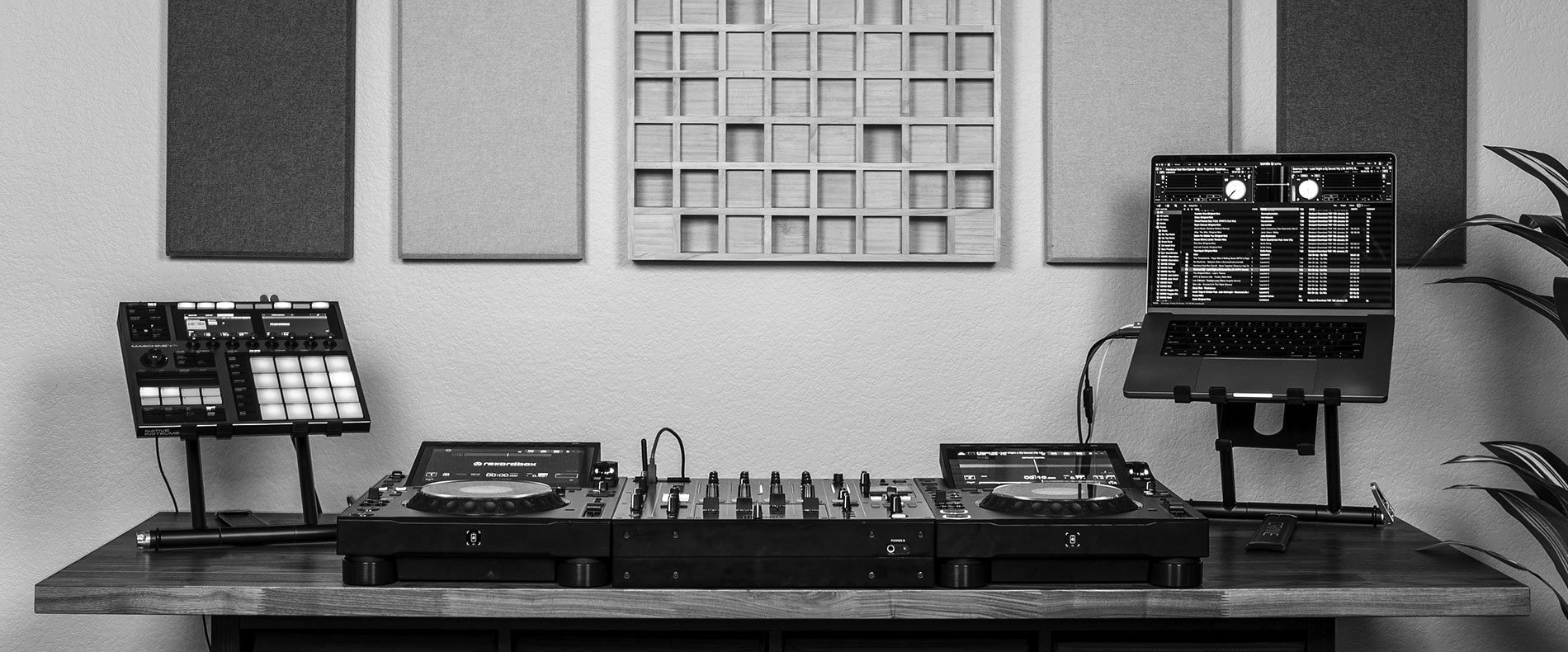
Mojaxx Reviews the Crane Stand Plus 2026 Watch Now
Crane Stand Plus Now Shipping!
  • Products
  • Support
    • Quick Start
    • Contact us
0 0
0 Shopping Cart

No products in the cart.

Return To Shop
Shopping cart (0)
Subtotal: $0.00

View cartCheckout

  • Products
  • Support
    • Quick Start
    • Contact us
Sign in
0 0
0 Shopping Cart

No products in the cart.

Return To Shop
Shopping cart (0)
Subtotal: $0.00

View cartCheckout

Crane Stand Plus Setup Instructions
crane-stand-plus-setup-1

1

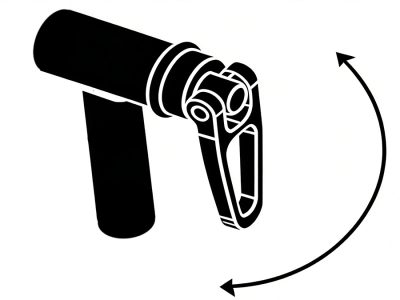
Release the camlock levers by rotating them out and away from the stand, enabling the tray and base to rotate freely.
crane-stand-plus-setup-2

2

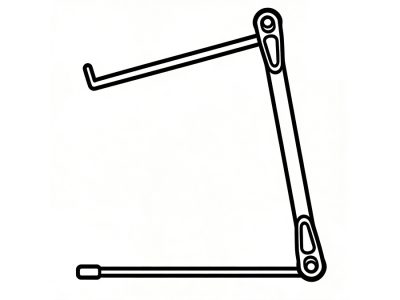
Rotate the tray and base to the desired position, either in the default crane-style or Z-style, then return the camlock levers down to their locked positions.
crane-stand-plus-setup-3

3

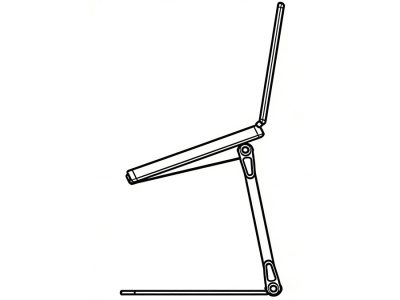
Gently place your device on top of the stand and watch for any movement.

crane-stand-plus-setup-4

4

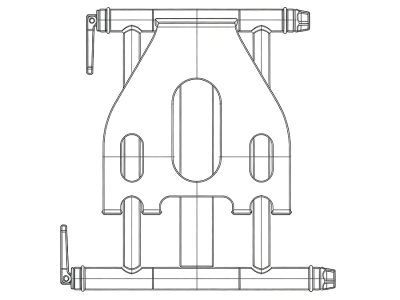
If the desired load capability is not met, remove your device, unlock the cam lever and tighten the tensioning knob by rotating it clockwise. Adjust in small increments to be sure not to over tighten. Turn counterclockwise to loosen.
crane-stand-plus-setup-5

5

To pack away, simply remove the device, release both cam levers, then fold the stand back to the closed position and tighten the cam levers.


Crane

Precision-built folding laptop stands
for professional DJs, performers and creators.

Support

Quick Start

Contact Us

Shipping Policy

Return Policy

Follow


Instagram


Facebook


A Mixware Brand

Our Brands
ColorKey


Crane


Headliner LA

Copyright © 2026 Mixware LLC. Crane is a registered trademark of Mixware, LLC. All rights reserved.
Terms & Conditions
Privacy Policy